Help center
How to solve common errors and fix problems with GameGuard Anti-Cheat
-
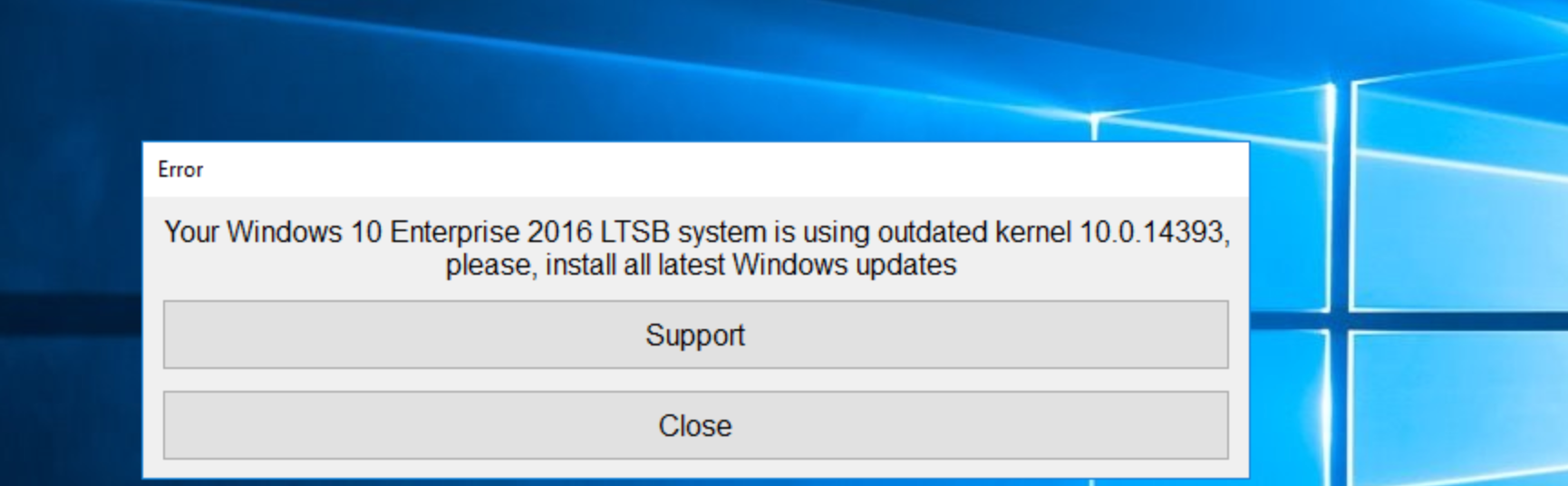
GameGuard error "Windows 10 LTSB / LTSC is using outdated kernel"
If you receive an error with a message of "Your Windows 10 Enterprise 2016 LTSB system is using outdated kernel 10.0.14393, please...
-
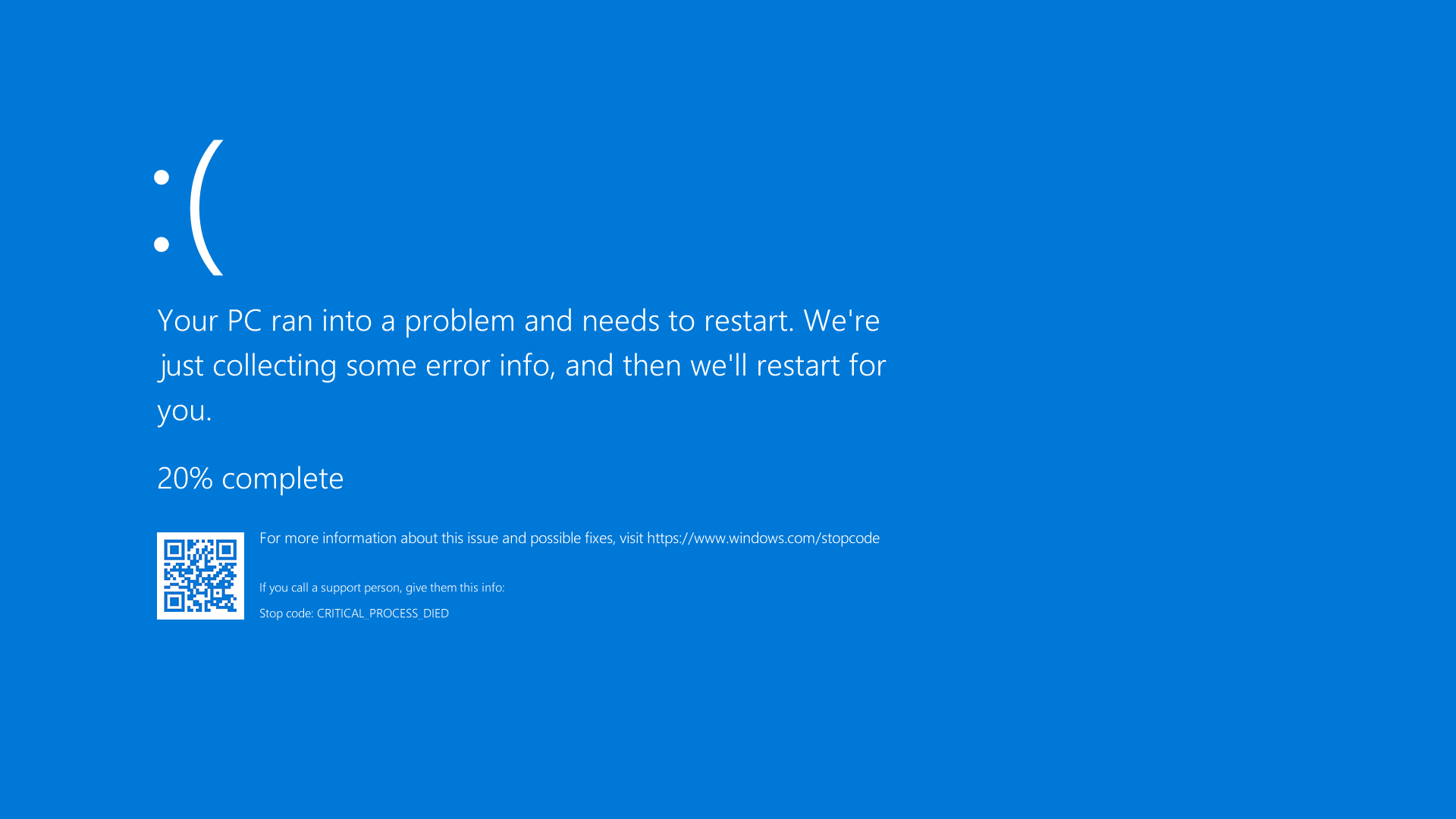
How to configure the system to generate active memory dump files
In some cases, to recover from BSOD, GameGuard anti-cheat developers may request to provide an active memory dump, which is written...
-
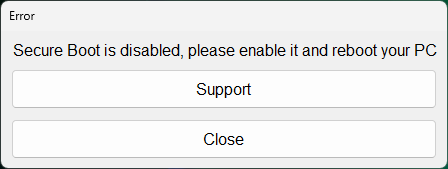
Anti-Cheat error "Secure Boot is disabled"
In the configurations of Windows 11 users, when playing on FASTCUP.NET with the GameGuard Anti-Cheat, the ‘Secure Boot’ option...
-
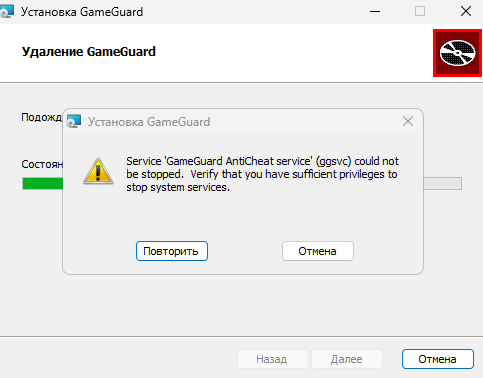
Error during AntiCheat uninstall process 'Service Gameguard AntiCheat service' (ggsvc) could not be stopped
If you face error during GameGuard Anti-Cheat uninstallation process in game project FASTCUP.Net : Service 'Gameguard AntiCheat service'...
-
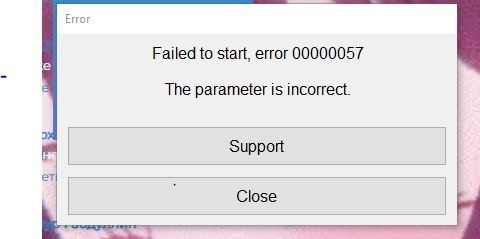
GameGuard error code "00000057"
Usually, this error occurs when ‘Core Isolation’ feature is enabled in Windows 10 and Windows 11. The correct work of the GameGuard...
-
How to configure the system to generate kernel memory dump files
In some cases, to recover from BSOD, GameGuard anti-cheat developers may request to provide a complete kernel memory dump, which...
-
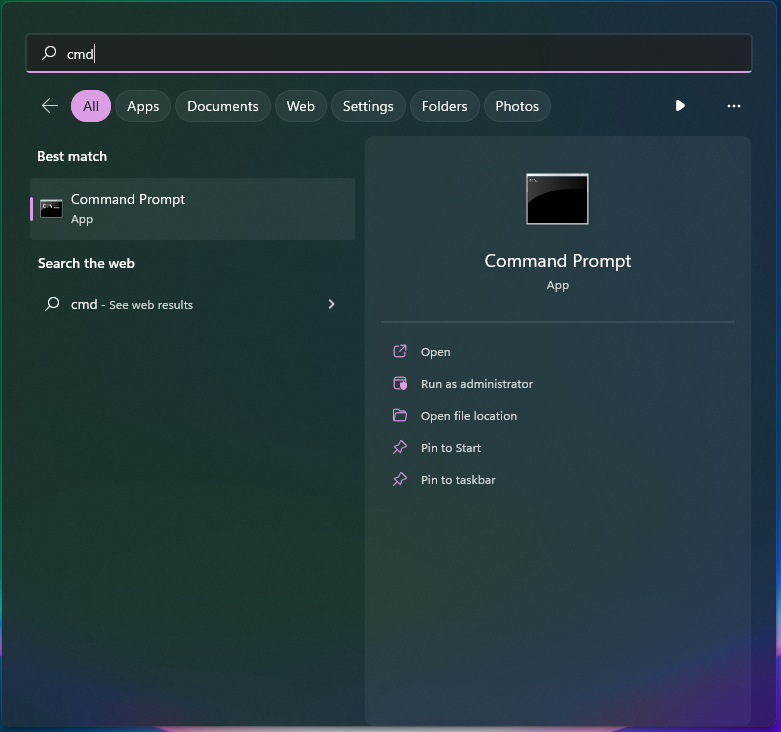
How to open Command Prompt (console, cmd)
Sometimes, to solve problems with the GameGuard Anti-Cheat on the FASTCUP.NET gaming project, you need to open the Windows Command...
-
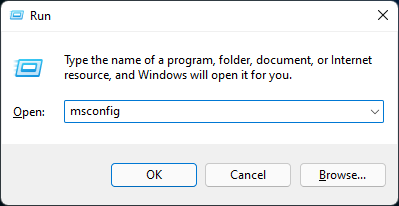
How to start Windows in Safe mode
Fixing rare issues with the GameGuard anti-cheat to play on FASTCUP.NET may require you to enter Safe mode on Windows 10/11. Safe mode...
-
GameGuard error "Windows 10 LTSB / LTSC is using outdated kernel"
Если при запуске античита GameGuard на проекте игр по CS 1.6 / CS:GO FASTCUP.Net Вы получаете ошибку "Your Windows 10 Enterprise 2016...
-
Как настроить создание активного дампа памяти
В некоторых случаях для решения проблемы с синим экраном разработчики античита GameGuard запрашивают активный дамп памяти, который...
-
Ошибка удаления античита Service 'Gameguard AntiCheat service' (ggsvc) could not be stopped
Если при удалении античита GameGuard при игре на проекте FASTCUP.Net Вы получаете ошибку с текстом Service 'Gameguard AntiCheat service'...
-
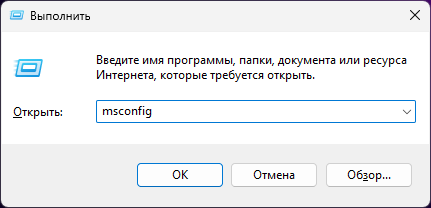
Как зайти в безопасный режим
Устранение редких проблем с античитом GameGuard для игры на проекте FASTCUP.NET может потребовать вход в безопасный режим Windows. Это...
-
Как настроить создание дампа памяти ядра
В некоторых случаях для решения проблемы с синим экраном разработчики античита GameGuard запрашивают полный дамп памяти ядра, который...
-
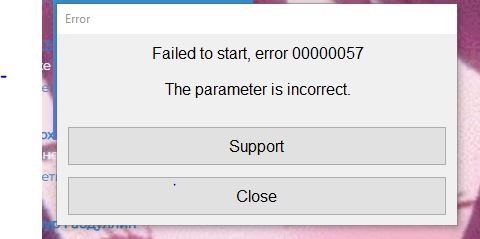
Ошибка античита "00000057"
Как правило, данная ошибка возникает при включенной функции “Изоляция ядра” в Windows 10 и Windows 11. Работа античита GameGuard...
-
Ошибка античита "Secure Boot is disabled"
На конфигурациях пользователей с Windows 11 при игре на FASTCUP.NET с античитом GameGuard требуется наличие включенной опции Secure...
-
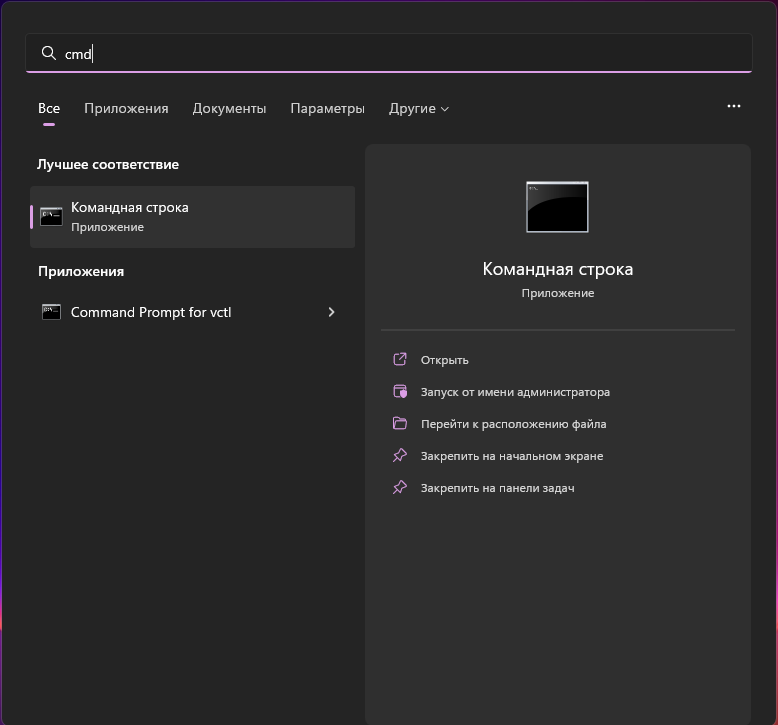
Как открыть командную строку (cmd)
Иногда для решения проблем с античитом GameGuard на игровом проекте FASTCUP.NET требуется открыть командную строку Windows (консоль).
-
GameGuard-Fehler "Windows 10 LTSB / LTSC is using outdated kernel"
Wenn eine Fehlermeldung erscheint, dass Ihr Windows 10 Enterprise 2016 LTSB einen veralteten Kernel 10.0.14393 verwendet — so beheben Sie das Problem
-
Erstellung von aktiven Speicherabbildern konfigurieren
In manchen Fällen benötigen die GameGuard-Entwickler zur Analyse eines Bluescreens ein aktives Speicherabbild — so konfigurieren Sie Windows dafür
-
Anti-Cheat-Fehler "Secure Boot is disabled"
Für das Spielen auf FASTCUP.NET mit dem GameGuard Anti-Cheat muss Secure Boot aktiviert sein — so aktivieren Sie es im UEFI
-
Eingabeaufforderung (Konsole, cmd) öffnen
Manchmal müssen Sie zur Behebung von Problemen mit dem GameGuard Anti-Cheat auf FASTCUP.NET die Windows-Eingabeaufforderung öffnen — so geht es
-
Erstellung von Kernelspeicherabbildern konfigurieren
In manchen Fällen benötigen die GameGuard-Entwickler zur Analyse eines Bluescreens ein vollständiges Kernelspeicherabbild — so konfigurieren Sie Windows dafür
-
Fehler beim Deinstallieren des Anti-Cheats: 'Service Gameguard AntiCheat service' (ggsvc) could not be stopped
Was zu tun ist, wenn bei der Deinstallation des GameGuard Anti-Cheats der Fehler "Service 'Gameguard AntiCheat service' (ggsvc) could not be stopped" erscheint
-
GameGuard-Fehlercode "00000057"
Dieser Fehler tritt meist auf, wenn die Kernisolierung in Windows 10 oder 11 aktiviert ist — so deaktivieren Sie die Speicherintegrität (HVCI)
-
Windows im abgesicherten Modus starten
Zur Behebung seltener Probleme mit dem GameGuard Anti-Cheat kann der abgesicherte Modus von Windows 10/11 nötig sein — zwei Wege dorthin
-
Błąd GameGuard "Windows 10 LTSB / LTSC is using outdated kernel"
Co zrobić, gdy pojawia się komunikat, że Windows 10 Enterprise 2016 LTSB używa przestarzałego jądra 10.0.14393
-
Jak skonfigurować system do tworzenia aktywnych zrzutów pamięci
W niektórych przypadkach twórcy GameGuard proszą o aktywny zrzut pamięci, aby zdiagnozować niebieski ekran — oto jak skonfigurować system
-
Błąd anty-cheata "Secure Boot is disabled"
Gra na FASTCUP.NET z anty-cheatem GameGuard wymaga włączonej funkcji Secure Boot — oto jak włączyć ją w UEFI
-
Błąd podczas odinstalowywania anty-cheata: 'Service Gameguard AntiCheat service' (ggsvc) could not be stopped
Co zrobić, gdy podczas odinstalowywania anty-cheata GameGuard pojawia się błąd "Service 'Gameguard AntiCheat service' (ggsvc) could not be stopped"
-
Jak otworzyć wiersz polecenia (konsolę, cmd)
Czasami, aby rozwiązać problemy z anty-cheatem GameGuard na FASTCUP.NET, trzeba otworzyć wiersz polecenia systemu Windows — oto jak to zrobić
-
Jak skonfigurować system do tworzenia zrzutów pamięci jądra
W niektórych przypadkach twórcy GameGuard proszą o pełny zrzut pamięci jądra, aby zdiagnozować niebieski ekran — oto jak skonfigurować system
-
Jak uruchomić system Windows w trybie awaryjnym
Rozwiązywanie rzadkich problemów z anty-cheatem GameGuard może wymagać trybu awaryjnego w Windows 10/11 — oto dwa sposoby, jak do niego wejść
-
Kod błędu GameGuard "00000057"
Ten błąd zwykle występuje, gdy w systemie Windows 10 lub 11 włączona jest izolacja rdzenia — oto jak wyłączyć integralność pamięci (HVCI)
-
Erro do GameGuard "Windows 10 LTSB / LTSC is using outdated kernel"
O que fazer quando aparece a mensagem de que o seu Windows 10 Enterprise 2016 LTSB usa um kernel desatualizado 10.0.14393
-
Como configurar o sistema para gerar despejos de memória ativa
Em alguns casos, os desenvolvedores do GameGuard pedem um despejo de memória ativa para diagnosticar um ecrã azul — veja como configurar o sistema
-
Código de erro do GameGuard "00000057"
Este erro ocorre normalmente quando o isolamento de núcleo está ativado no Windows 10 ou 11 — veja como desativar a integridade da memória (HVCI)
-
Como abrir a linha de comandos (consola, cmd)
Às vezes, para resolver problemas com o anti-cheat GameGuard na FASTCUP.NET, é necessário abrir a linha de comandos do Windows — veja como
-
Como configurar o sistema para gerar despejos de memória do kernel
Em alguns casos, os desenvolvedores do GameGuard pedem um despejo completo de memória do kernel para diagnosticar um ecrã azul — veja como configurar
-
Como iniciar o Windows em modo de segurança
Resolver problemas raros com o anti-cheat GameGuard pode exigir o modo de segurança no Windows 10/11 — veja duas formas de entrar nele
-
Erro ao desinstalar o anti-cheat: 'Service Gameguard AntiCheat service' (ggsvc) could not be stopped
O que fazer quando, ao desinstalar o anti-cheat GameGuard, aparece o erro "Service 'Gameguard AntiCheat service' (ggsvc) could not be stopped"
-
Erro do anti-cheat "Secure Boot is disabled"
Jogar na FASTCUP.NET com o anti-cheat GameGuard exige que o Secure Boot esteja ativado — veja como ativá-lo no UEFI
-
Error de GameGuard "Windows 10 LTSB / LTSC is using outdated kernel"
Qué hacer cuando aparece el mensaje de que tu Windows 10 Enterprise 2016 LTSB usa un kernel obsoleto 10.0.14393
-
Cómo configurar el sistema para generar volcados de memoria activa
En algunos casos, los desarrolladores de GameGuard piden un volcado de memoria activa para diagnosticar una pantalla azul
-
Código de error de GameGuard "00000057"
Este error suele ocurrir cuando el aislamiento del núcleo está activado en Windows 10 u 11 — así se desactiva la integridad de memoria (HVCI)
-
Cómo abrir el símbolo del sistema (consola, cmd)
A veces, para resolver problemas con el anti-cheat GameGuard en FASTCUP.NET, hay que abrir el símbolo del sistema de Windows — así se hace
-
Cómo configurar el sistema para generar volcados de memoria del kernel
En algunos casos, los desarrolladores de GameGuard piden un volcado completo de memoria del kernel para diagnosticar una pantalla azul
-
Cómo iniciar Windows en modo seguro
Resolver problemas poco frecuentes con el anti-cheat GameGuard puede requerir el modo seguro en Windows 10/11 — dos formas de entrar en él
-
Error al desinstalar el anti-cheat: 'Service Gameguard AntiCheat service' (ggsvc) could not be stopped
Qué hacer cuando, al desinstalar el anti-cheat GameGuard, aparece el error "Service 'Gameguard AntiCheat service' (ggsvc) could not be stopped"
-
Error del anti-cheat "Secure Boot is disabled"
Jugar en FASTCUP.NET con el anti-cheat GameGuard requiere que Secure Boot esté activado — así se activa en la UEFI
-
GameGuard greška "Windows 10 LTSB / LTSC is using outdated kernel"
Šta učiniti kada se pojavi poruka da vaš Windows 10 Enterprise 2016 LTSB koristi zastarelo jezgro 10.0.14393
-
Kako podesiti sistem da pravi ispise aktivne memorije
U nekim slučajevima programeri GameGuarda traže ispis aktivne memorije da bi dijagnostikovali plavi ekran — evo kako podesiti sistem
-
Anti-cheat greška "Secure Boot is disabled"
Igranje na FASTCUP.NET sa anti-cheatom GameGuard zahteva uključen Secure Boot — evo kako da ga uključite u UEFI-ju
-
GameGuard kod greške "00000057"
Ova greška se obično javlja kada je u Windowsu 10 ili 11 uključena izolacija jezgra — evo kako isključiti integritet memorije (HVCI)
-
Greška pri deinstalaciji anti-cheata: 'Service Gameguard AntiCheat service' (ggsvc) could not be stopped
Šta učiniti kada se pri deinstalaciji anti-cheata GameGuard pojavi greška "Service 'Gameguard AntiCheat service' (ggsvc) could not be stopped"
-
Kako otvoriti komandnu liniju (konzolu, cmd)
Ponekad je za rešavanje problema sa anti-cheatom GameGuard na FASTCUP.NET potrebno otvoriti komandnu liniju Windowsa — evo kako
-
Kako podesiti sistem da pravi ispise memorije jezgra
U nekim slučajevima programeri GameGuarda traže potpun ispis memorije jezgra da bi dijagnostikovali plavi ekran — evo kako podesiti sistem
-
Kako pokrenuti Windows u bezbednom režimu
Rešavanje retkih problema sa anti-cheatom GameGuard može zahtevati bezbedni režim u Windowsu 10/11 — evo dva načina da uđete u njega
-
GameGuard hatası "Windows 10 LTSB / LTSC is using outdated kernel"
Windows 10 Enterprise 2016 LTSB sisteminizin 10.0.14393 eski çekirdeğini kullandığı mesajı çıktığında ne yapmalısınız
-
Etkin bellek dökümü oluşturmak için sistem nasıl yapılandırılır
Bazı durumlarda GameGuard geliştiricileri mavi ekranı incelemek için etkin bellek dökümü ister — sistemi buna göre yapılandırma
-
Anti-cheat hatası "Secure Boot is disabled"
FASTCUP.NET üzerinde GameGuard anti-cheat ile oynamak için Secure Boot açık olmalıdır — UEFI'de nasıl etkinleştirilir
-
Anti-cheat kaldırılırken hata: 'Service Gameguard AntiCheat service' (ggsvc) could not be stopped
GameGuard anti-cheat kaldırılırken "Service 'Gameguard AntiCheat service' (ggsvc) could not be stopped" hatası çıktığında ne yapmalısınız
-
Çekirdek bellek dökümü oluşturmak için sistem nasıl yapılandırılır
Bazı durumlarda GameGuard geliştiricileri mavi ekranı incelemek için tam çekirdek bellek dökümü ister — sistemi buna göre yapılandırma
-
GameGuard hata kodu "00000057"
Bu hata genellikle Windows 10 veya 11'de çekirdek yalıtımı açık olduğunda oluşur — bellek bütünlüğü (HVCI) nasıl kapatılır
-
Komut İstemi (konsol, cmd) nasıl açılır
FASTCUP.NET üzerinde GameGuard anti-cheat ile ilgili sorunları çözmek için bazen Windows Komut İstemi'ni açmanız gerekir — işte nasıl
-
Windows güvenli modda nasıl başlatılır
GameGuard anti-cheat ile ilgili ender sorunları çözmek Windows 10/11'de güvenli mod gerektirebilir — güvenli moda girmenin iki yolu
No topics match your search
Still need help?
Contact support