Błąd podczas odinstalowywania anty-cheata: 'Service Gameguard AntiCheat service' (ggsvc) could not be stopped
Opublikowano
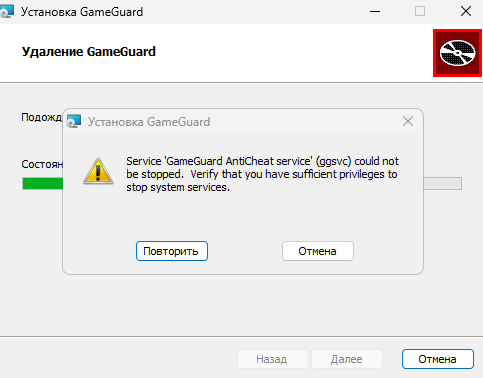
Jeśli podczas odinstalowywania anty-cheata GameGuard w projekcie gamingowym FASTCUP.Net wystąpi błąd: Service 'Gameguard AntiCheat service' (ggsvc) could not be stopped. Verify that you have sufficient privileges to stop system services , należy usunąć anty-cheata ręcznie:
1. Uruchom system Windows w trybie awaryjnym:
gameguard.ac/help/pl-windows-safe-mode
2. Wprowadź polecenia w wierszu polecenia (cmd.exe):
gameguard.ac/help/pl-how-to-open-command-prompt-windows
sc stop acdrv
sc stop ggsvc
sc delete acdrv
sc delete ggsvc
3. Uruchom ponownie system w trybie normalnym i zainstaluj anty-cheata GameGuard ponownie z oficjalnej strony: https://gameguard.ac