Error during AntiCheat uninstall process 'Service Gameguard AntiCheat service' (ggsvc) could not be stopped
Published
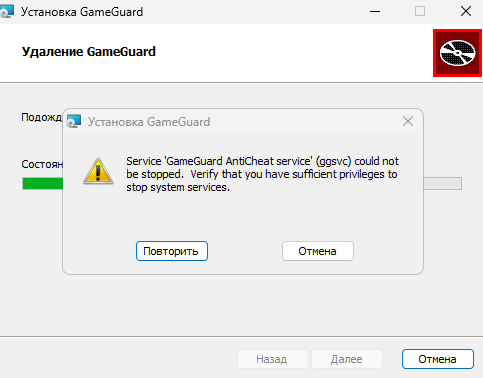
If you face error during GameGuard Anti-Cheat uninstallation process in game project FASTCUP.Net : Service 'Gameguard AntiCheat service' (ggsvc) could not be stopped. Verify that you have sufficient privileges to stop system services , then you should remove anticheat manually:
1. Enter Windows safe mode:
gameguard.ac/help/en-windows-safe-mode
2. Enter commands in command prompt (cmd.exe):
gameguard.ac/help/en-how-to-open-command-prompt-windows
sc stop acdrv
sc stop ggsvc
sc delete acdrv
sc delete ggsvc
3. Reboot into normal mode and install GameGuard Anti-Cheat again from official site: https://gameguard.ac